


Speak to our team
BYD Power-Box SH3/3.7/4.6/5/6K Single Phase Hybrid Inverter

BYD's single-phase high-voltage hybrid inverter for use with the Battery-Box HVE storage system. The inverters feature dual MPPT tracking, flexible backup and up to 200% PV oversizing.
Select model
| Variant | Price (exc tax) |
|---|---|
|
BYD-SH3K
BYD Power Box SH3K 3000W Single Phase Hybrid Inverter - includes meter and 100A CT |
Regular price
£641.97
Regular price
Unit price
per
|
|
BYD-SH3.68K
BYD Power Box SH3.68K 3680W Single Phase Hybrid Inverter - includes meter and 100A CT |
Regular price
£667.65
Regular price
Unit price
per
|
|
BYD-SH4.6K
BYD Power Box SH4.6K 4600W Single Phase Hybrid Inverter - includes meter and 100A CT |
Regular price
£744.69
Regular price
Unit price
per
|
|
BYD-SH5K
BYD Power Box SH5K 5000W Single Phase Hybrid Inverter - includes meter and 100A CT |
Regular price
£808.89
Regular price
Unit price
per
|
|
BYD-SH6K
BYD Power Box SH6K 6000W Single Phase Hybrid Inverter - includes meter and 100A CT |
Regular price
£898.76
Regular price
Unit price
per
|

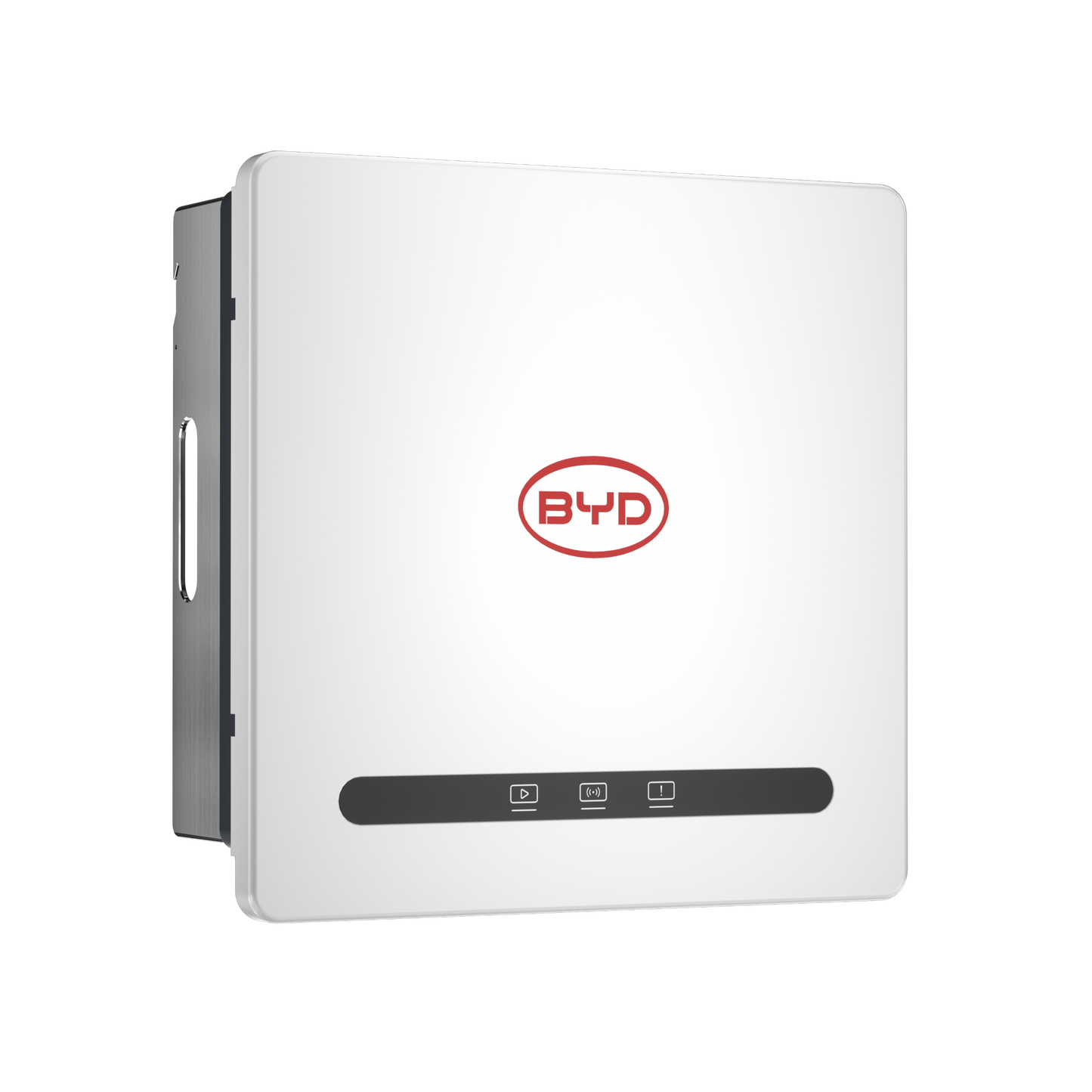
BYD Power-Box SH3/3.7/4.6/5/6K Single Phase Hybrid Inverter
BYD's single-phase high-voltage hybrid inverter for use with the Battery-Box HVE storage system. The inverters feature dual MPPT tracking, flexible backup and up to 200% PV oversizing.
The inverter supports seamless switchover to backup power, with the backup output rated for surges of up to 2x the inverters rated output to ensure uninterrupted operation of critical loads.
Up to 3 inverters can be connected in parallel, each with up to 70.7kWh of storage, allowing systems up to 18kW output (including during backup) and 212kWh of storage capacity.
With an IP65 protection rating, integrated surge protection and arc fault detection, and intelligent fault diagnosis, the Power-Box range offers reliable operation with minimal downtime.
- >99.9% MPPT Efficiency
- >97.7% Inverter Efficiency
- <13ms backup switching time for seamless changeover
- Type III AC & Type II DC SPD included
- Integrated Arc Fault Detection
- Warranty: 5 + 5 years

Good to know
Technical Specifications
| SKU | BYD-SH3K | BYD-SH3.68K | BYD-SH4.6K | BYD-SH5K | BYD-SH6K |
|---|---|---|---|---|---|
| Power Rating | 3000W | 3680W | 4600W | 5000W | 6000W |
| System Battery Voltage | HV | HV | HV | HV | HV |
| MPPT Trackers | 2 | 2 | 2 | 2 | 2 |
| Phases | Single Phase | Single Phase | Single Phase | Single Phase | Single Phase |
| Connectivity | Wifi, Ethernet | Wifi, Ethernet | Wifi, Ethernet | Wifi, Ethernet | Wifi, Ethernet |
| Weight (kg) | 20 | 20 | 20 | 20 | 20 |
| IP Rating | IP65 | IP65 | IP65 | IP65 | IP65 |
| On Grid / Off Grid | On Grid | On Grid | On Grid | On Grid | On Grid |
| Intrastat Commodity Code | 85044084 | 85044084 | 85044084 | 85044084 | 85044084 |
FAQs
-
BYD Power-Box: How to setup without a battery
Context:
In Quick Setup, the inverter is expecting a battery by default and shows an error if the battery is not detected (battery communication error). This prevents the wizard from proceeding to the next step, where the battery interface can later be disabled.
Solution:
- Manually add/import the inverter serial number using the '+' button in the app (instructions given also 'in the past')
- Select the newly added system and connect via Bluetooth
- Open the Settings menu
- Upgrade all available firmware through Firmware Upgrade (Bluetooth)
- Once the upgrade is complete, open the inverter settings and disable the battery interface (battery detection). After doing so, the battery communication error will disappear, and the inverter can operate correctly without a battery.
Note: Also check all the remaining commissioning parameters (e.g. Grid Code and any other required configuration settings) while on it.
Related Products

BYD Battery-Box HVE
The BYD Battery-Box HVE is a modular high voltage lithium iron phosphate (LFP) battery for use with BYD's Power Box range of inverters.

BYD Power-Box TH5/6/8/10/12/15K Three Phase Hybrid Inverter
Coming soon. Expected Q4 2026.
BYD's three-phase high-voltage hybrid inverter for use with the Battery-Box HVE storage system. These inverters feature dual MPPT tracking, flexible backup and up to 150% PV oversizing.
*see manufacturer's documentation for further information